CASE STUDY:
New Vendor Onboarding
THE PROBLEM
Zulily vendors must submit extensive business, financial, logistics, and compliance information before selling on the platform. However, the onboarding process was fragmented, non-standardized, and often paper- or laptop-based, with little transparency. This led to inconsistent and sometimes non-compliant data, communication breakdowns, delays to market, and significant business risk for both vendors and Zulily.
ROLES & RESPONSIBILITIES
» Integration requirements
» Stakeholder interviews
» User stories
» Information architecture
» Process & screen flows
» Content strategy & design
» Wireframes
» Final designs
» Prototyping (UXPin)
» Design documentation and corresponding redlines
Audits and stakeholder interviews
The first thing I did, in collaboration with my product partner, was collect and review all of the onboarding requirements for both domestic and international vendors. We gathered electronic documents as well as interviewed internal stakeholders to capture their undocumented institutional knowledge of their role in the process.
We made note of:
Secondary information triggers
Required versus optional information
Restricted permissions based information
Internal and industry jargon and language
Redundancies and duplicative artifacts
Content organization and patterns
My product partner and I designed a questionnaire that logically grouped content into a sequenced flow, iterating on language to establish a unified voice and tone.
I recommended a conversational approach to set clear expectations and support confident, self-guided completion, while identifying form-based functions and inputs along the way. Additionally it would eliminate any internal jargon confusing vendors.
User stories generate role-based requirements
I hosted several user story workwhips with my product and engineering team, where we identified three main user types or roles:
Primary contact
Subject matter expert (SME)
System
User types defined role-based requirements, access, and permissions, with Primary and SME roles designed to be independent and assignable to support secure handling of sensitive information. To enable a self-service vendor experience, the system itself was modeled as a user, ensuring consistent validation, compliance, responses, and error handling.
Visualizing portal integration requirements
The onboarding experience was designed to integrate seamlessly with the existing vendor portal, preserving workflow continuity, data integrity, and consistent vendor and product management while maintaining clear, non-conflicting access and permission states.
Information Architecture
As the onboarding questionnaire was finalized, I created a high-level IA flow capturing each section, then mapped detailed hierarchies and sequences to address edge cases, validation logic, and error states. The flow also supported pause-and-return functionality and permission-based allocation, ensuring no content gaps or conflicting scenarios.
Process screen flows
To support multiple breakpoints, wireframes were developed mobile-first, followed by desktop views. Ultimately, the product was implemented for desktop only.
New Vendor flow
High-fidelity wireframes
Once the questionnaire and permissions model were finalized, I translated the experience into detailed wireframes. Each section—Business Info, Contact Info, Logistics, and Financials—required coverage for all question and answer variants, including errors, notifications, and save-and-return states. The Financials section was the most complex, supporting multiple users with shared permissions and partial access. Throughout the process, I focused on establishing clear, reusable patterns to reduce engineering effort while minimizing user fatigue.
Style Guide & Redlines
Hand-off to engineering included a robust Style Guide complete with redlines. Hand-offs were produced in phases aligned to onboarding sections and flows per engineering implementation and testing schedule.
Final design implementation
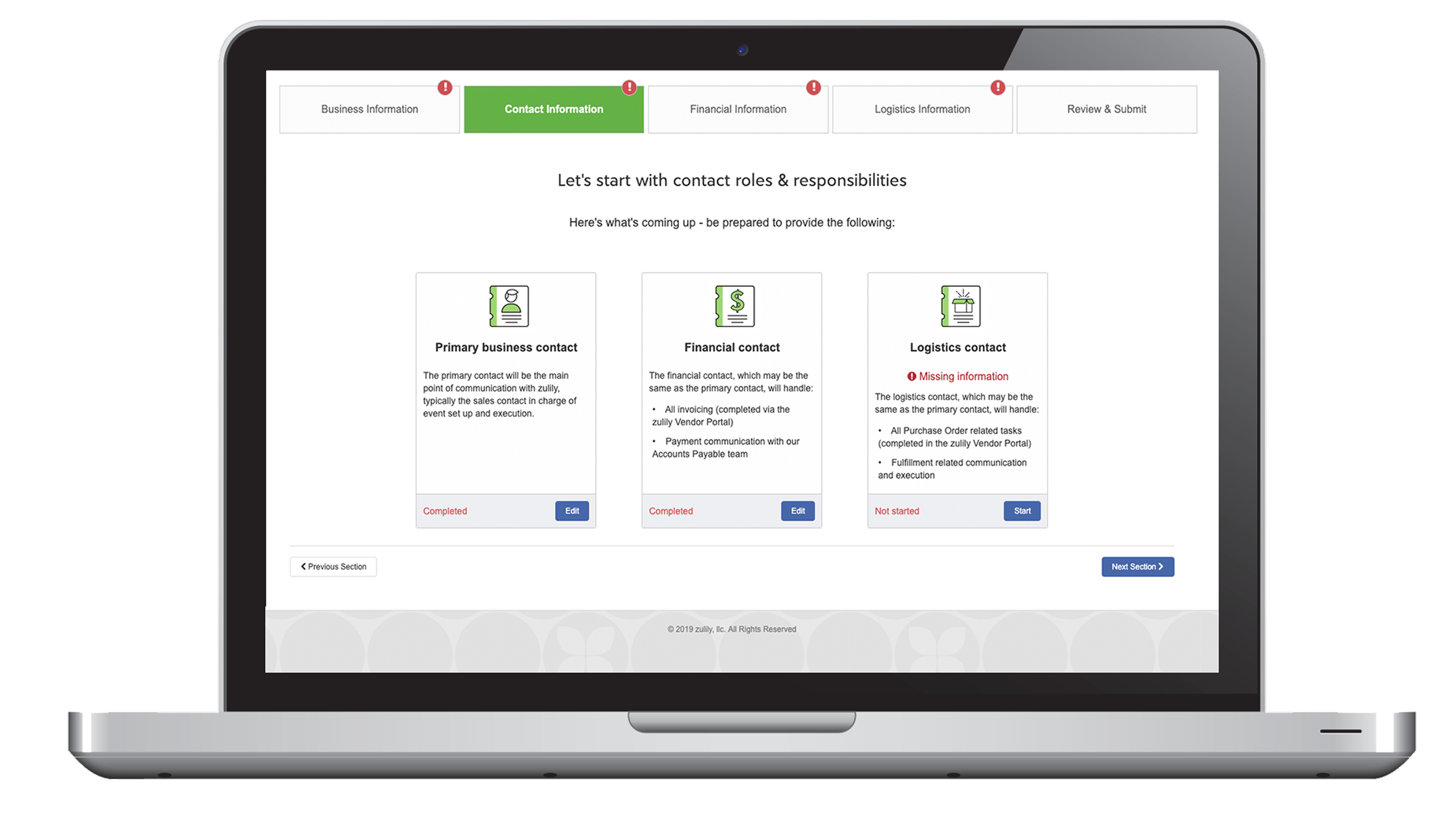
Sections are logically grouped and sequenced to reduce cognitive load
Introductory screens set expectations, display progress, and surface missing information
The process is non-linear, allowing vendors to move between sections and pause and resume at any time
Persistent status and progress indicators track completion from the global level down to individual questions
Discrete sections note when they can be shared with others, with role-based permissions to ensure security
Language is clear, friendly, and industry-specific, avoiding internal jargon
Forms follow best practices, with clear validation, alerts, and error messaging
Results: $2M in annual savings