
Experiment #2.
NOTE:
This is identical to Experiment #1, but using v0 by Vercel
Challenge:
UX designers spend significant time creating wireframes and comps — from scratch or using established design systems. I’ve worked extensively in Figma and the Expedia Design System (EGDS). Even with system efficiencies, friction remains.
Theory:
What if I skip layered files and components and move directly from a screenshot to a viable proof of concept?
A build-first approach using intent preview.
Assumptions:
The existing page (screenshot) is a shared template.
Content is modular and section-based.
AI Tools:
• Google Notebook
• Chat GPT
• v0 by Vercel
• Figma
Persona driven scenarios:
Context: Booked lodging
Traveler types:
Business
Family
Goal: Introduce a dynamic section in under two hours that adapts to traveler priorities at check-in.
Business traveler: Wi-Fi, early check-in
Family traveler: Pool hours, family-friendly dining
Start with a standard screenshot.
Add a simple prompt.
I exported a post-booking lodging screenshot from Figma into v0 and prompted the agent to recreate the existing .png.
The output closely mirrored the original layout, with the primary difference being typography. Because v0 renders live code, I then prompted the agent to switch to a sans serif font, then to obfuscate personal details — including itinerary information, confirmation numbers, pricing, and traveler name.
As the system is thinking, I can see it working through and solving for the ask.
An agent technique called Intent Preview.
Starting .png
First render
Several renders
Build Small, Scale Up
Working across different agents has highlighted the importance of cadence and scope. Asking for everything in a single prompt rarely produces a clean result.
Like atomic design, it’s more effective to start small and build incrementally. Smaller prompts make it easier to refine direction and backtrack when needed.
The tradeoff is cost and time. Iterative prompting consumes more credits, and it often takes a few generations to understand how a particular agent interprets instructions and structures output.
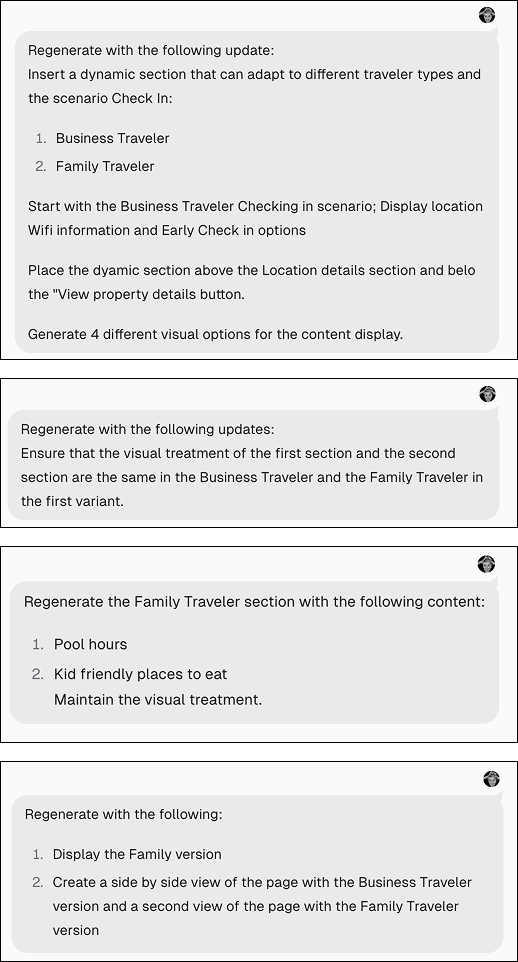
Series of prompts
Testing Interaction Patterns
Similar to Experiment 1, I prompted the agent — from scratch — to insert a dynamic section for Business Travelers featuring Wi-Fi access and early check-in information. I requested four variants.
It returned four distinct approaches, rendered in context of the full screen:
Card Stack
Unified Panel with Tabs
Horizontal Scroll Stack
Compact Accordion
The takeaway was control. The agent wasn’t limited to a single layout pattern — it could generate multiple mechanics on demand. That means I can specify the interaction model when needed, whether aligning to an existing component or vetting a new pattern prior to design.
Maintaining Structural Parity
Once I finalized the Business Traveler variants, I prompted the agent to generate the same four mechanics for the Family Traveler, maintaining structural consistency across each pattern.
I requested side-by-side renders for direct comparison. The outputs were accurate, and v0 automatically color-coded the variants to distinguish between traveler types, which made evaluation faster and clearer.
In reviewing them, I noticed the agent had flipped the visual treatment of the first variant. When I prompted it to make the first variants identical, it generated an entirely new treatment instead. I then had to revert and re-render — essentially backtracking.
That iteration cycle consumed additional credits. I ultimately hit the limit and needed to upgrade to continue, which cut into the time allotted for the experiment
Precision in Prompting
After importing the project into a new Team account, I had to be more explicit in how I described the visual changes I wanted. The earlier shorthand I had been using wasn’t enough in a new environment.
This time, I defined the edits with more specificity — what should change, what should remain intact, and how the visual treatment should behave within the existing structure.
The result was aligned. The agent executed the updates as intended, reinforcing that clarity in prompting directly impacts output quality.
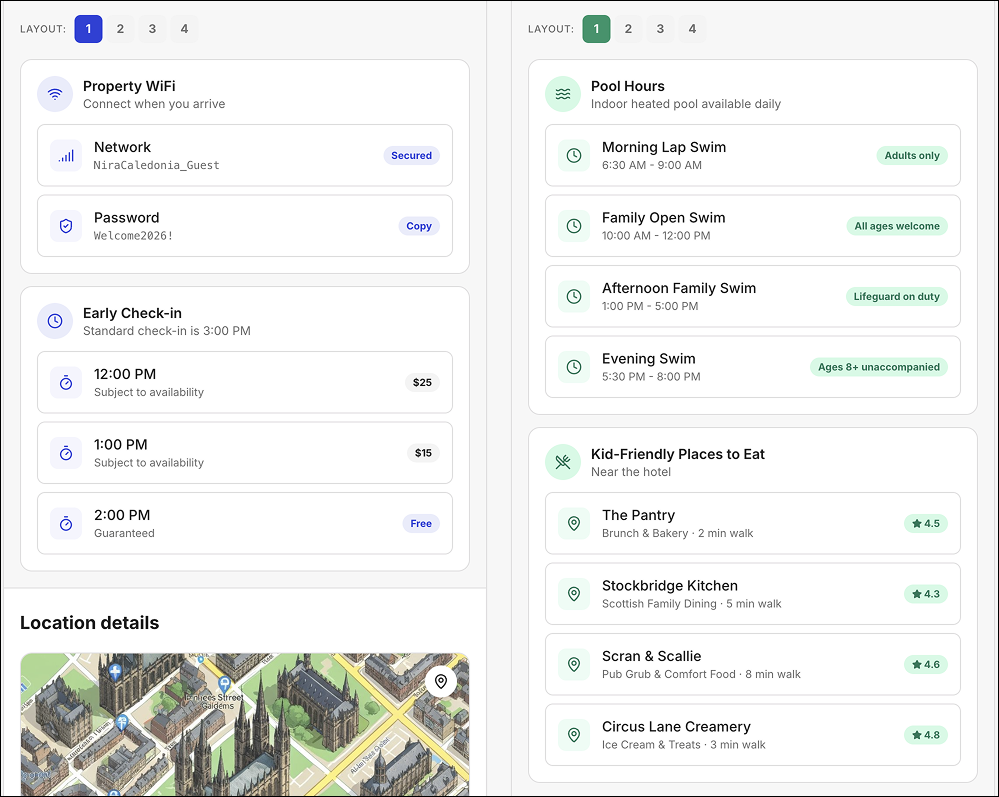
Incorrect style render
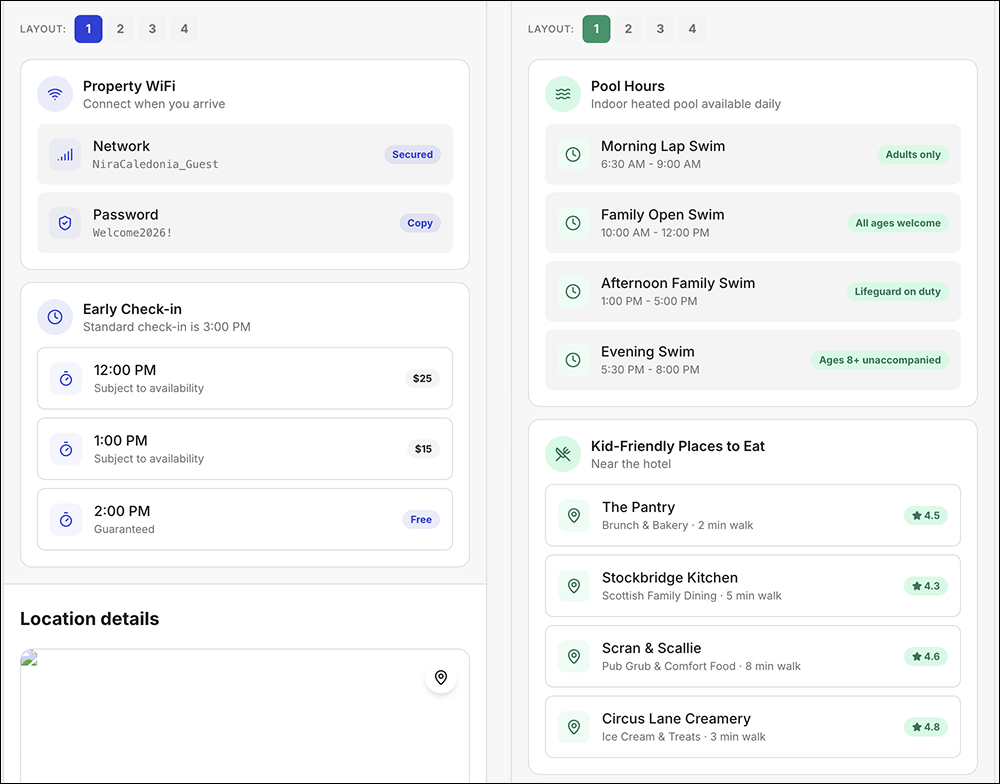
Correct style render
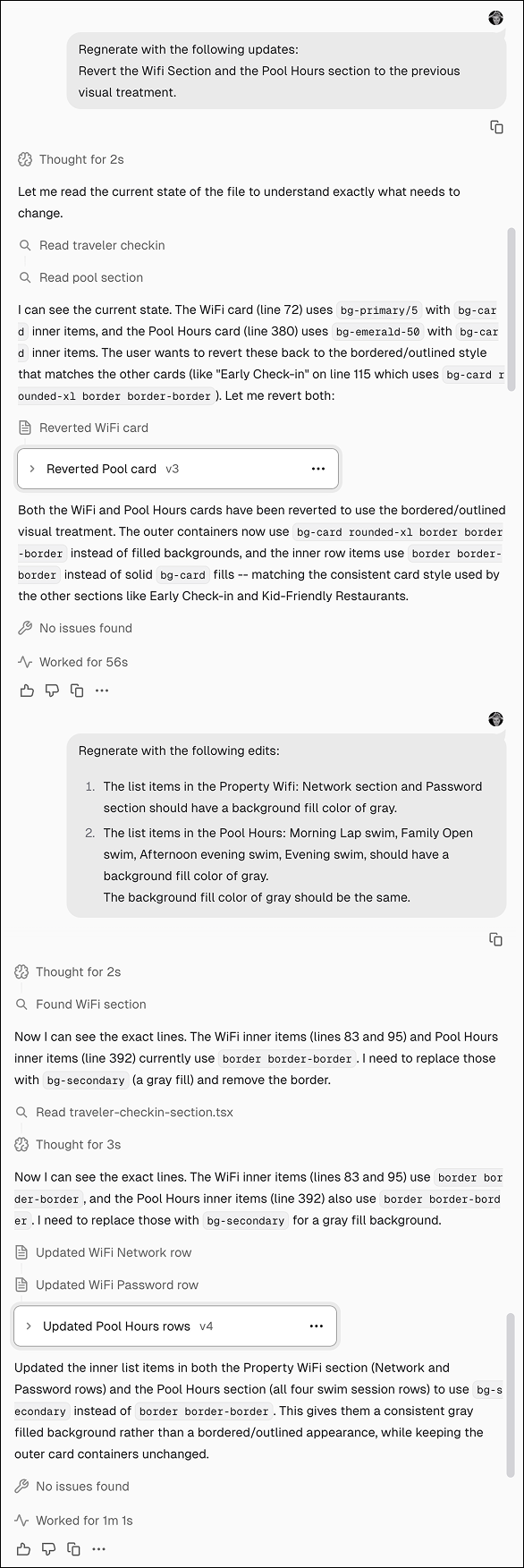
Prompts and agent thinking script
Extending the Interaction
Because I was working in a live environment, I decided to take the Family Traveler module one step further. The logical next move was to link the four recommended family restaurants to their respective websites.
On the first generation, the agent made only the restaurant titles clickable and added an “opens in new window” indicator. Functionally correct — but not ideal. In a card-based layout, limiting the interaction to the title creates unnecessary friction.
I prompted the agent to make the entire card clickable instead. The update rendered cleanly, preserved the external link indicator, and aligned better with expected interaction patterns.
The shift was small, but meaningful. Working in live code made it easy to test and refine real interaction behavior — not just layout.
Was this a successful experiment?
Yes. Within the time constraint, I was able to take a system-based screenshot and meaningfully extend it with a dynamic content section.
Working in small, incremental steps reduced unnecessary reversions and kept the experiment focused. The process was controlled, iterative, and productive.
What surprised me?
The automatic color coding and the built-in labeling were unexpected delights. The agent didn’t just generate layouts — it surfaced purpose and intent alongside them.
Those small signals made comparison easier and added clarity without additional prompting.
Running out of credits mid-experiment.
I didn’t see a clear indication that I was approaching the limit, which forced an unexpected pause and an upgrade to continue. It was a reminder that iterative workflows have operational constraints — not just design ones.
What did I not expect?
What would I have done differently?
If I had anticipated hitting the credit limit, I would have started with a paid plan. The interruption broke the flow of the experiment and disrupted the working rhythm with the agent.
Stopping and restarting felt like resetting context. Maintaining continuity matters — especially in iterative workflows where momentum shapes output.